
Docs Light and atmosphere
Sky and weather
Minecraft's own sky behind your scene: the sun and moon, stars, clouds and sunsets, with rain, snow or a thunderstorm if you like.
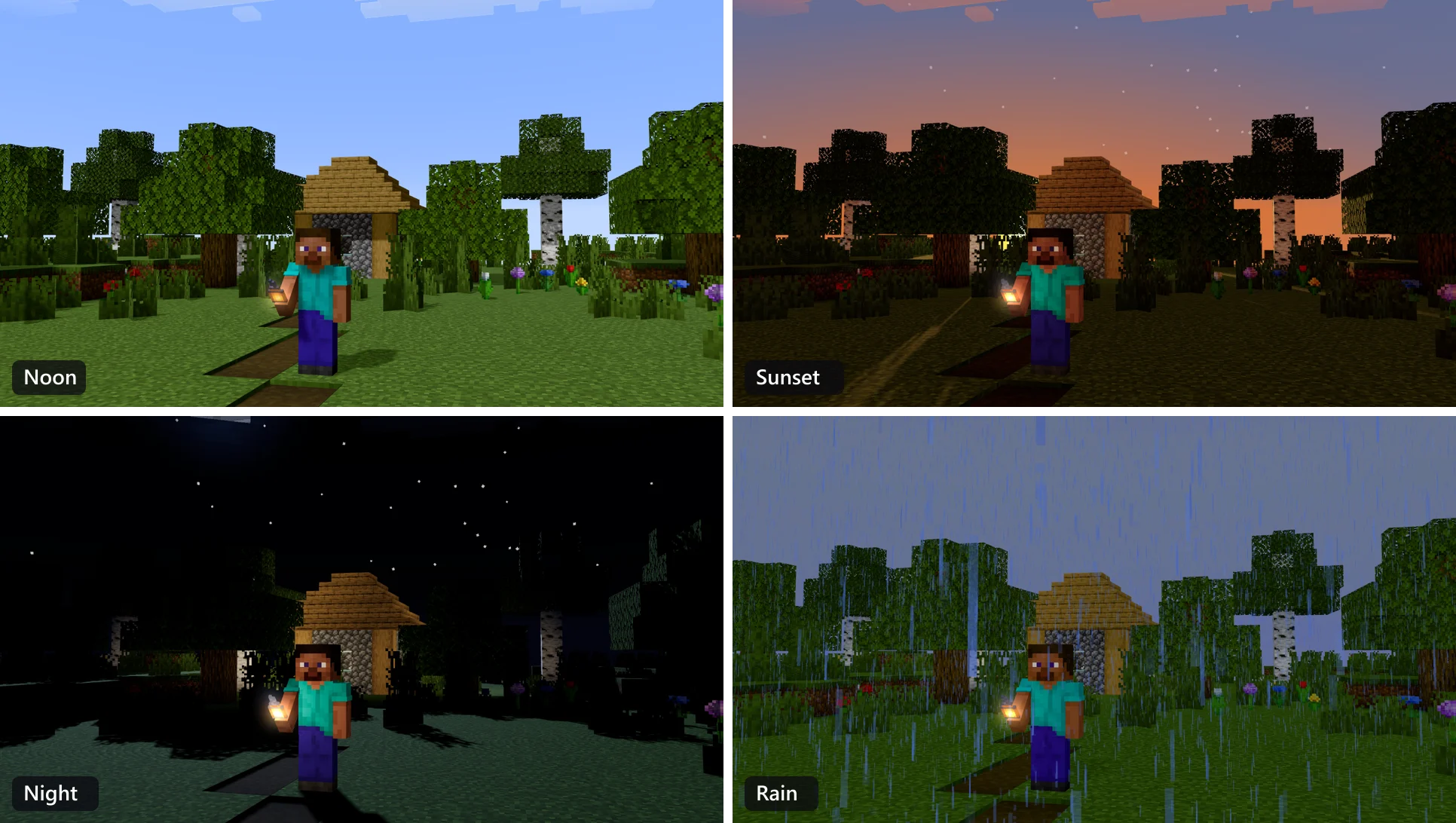
Choosing a sky
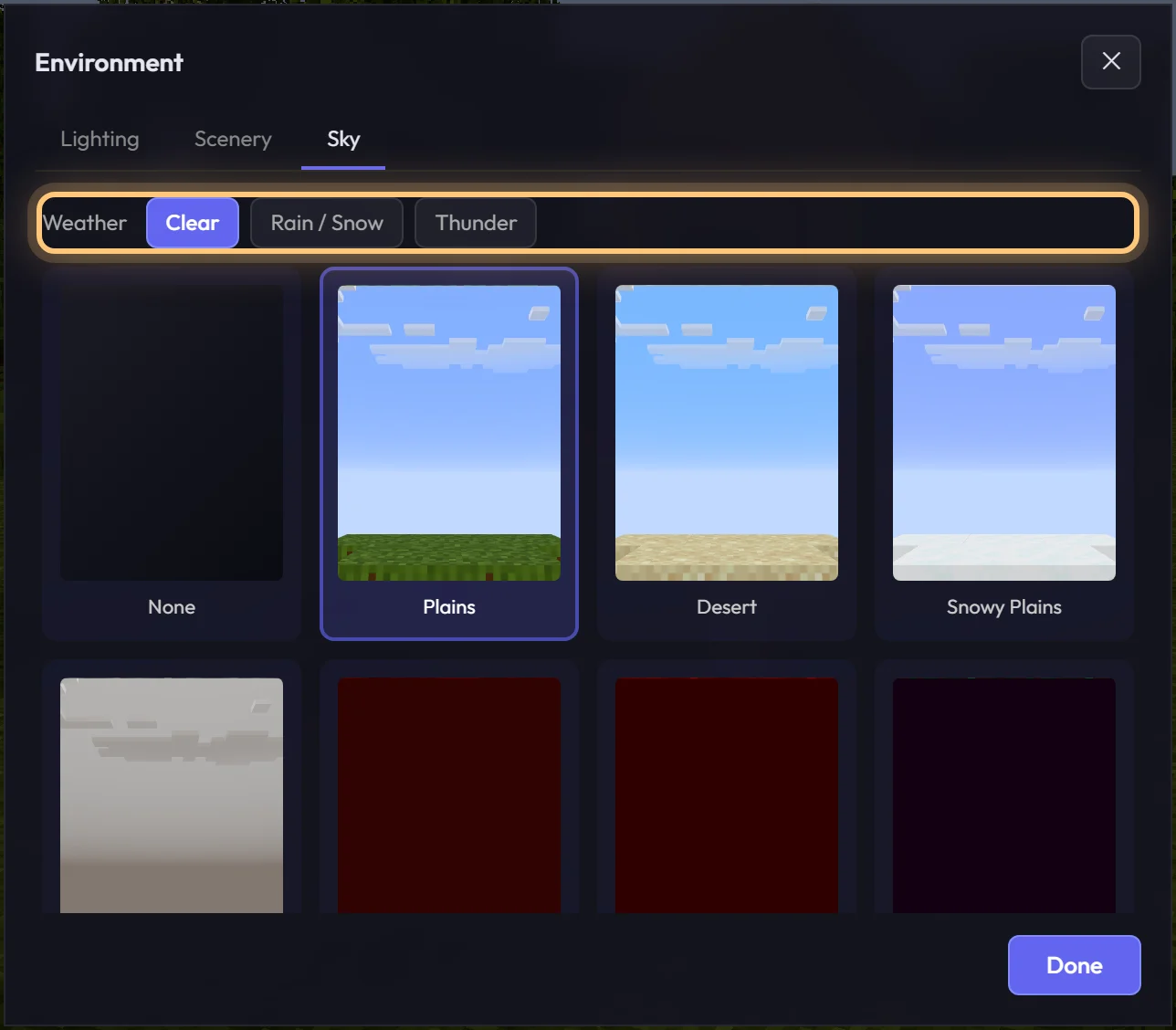
Choose Environment, then the Sky tab:
- Overworld: Plains, Desert, Snowy Plains and Pale Garden, each with its biome's own sky colour.
- Nether: Nether Wastes, Crimson Forest, Warped Forest, Soul Sand Valley and Basalt Deltas, each with its own thick fog.
- The End: the End's dark patterned sky.
Pick None for a see-through background, best when you'll place the picture on top of something else.
Time of day
The sky follows your sun. Wherever the light comes from, that's where the sun is, and how high it is sets the time of day:
- High up: midday, with a bright blue sky and clouds.
- Near the horizon: sunrise or sunset, with the orange glow on that side.
- Below the horizon: night, with stars.
With the Moonlight and Cave presets, the light is the moon instead, so you get a night sky with the moon where the light comes from. Drag the sun widget to change any of this (see Aiming the sun).
Faraway scenery fades into the sky's haze, just like in the game.
Weather
Overworld skies can have Clear, Rain / Snow or Thunder, chosen at the top of the Sky tab:
- Rain greys the sky and hides the sun, moon and stars. The light gets dimmer, so torches and lanterns stand out more.
- In cold places (Snowy Plains) it snows instead.
- In the Desert it never rains, so you just get the grey sky.
- Thunder makes it darker still.
As in the game, rain and snow fall within about 10 blocks of the camera, wherever it is in the scene. They fall straight down, so they don't stop at roofs in the scenery yet.
Ready to make something?
Open the Studio