
Docs Building a scene
Your own builds
Bring a build from your world into a scene, or add a 3D model of your own.
Structures from your world
Looking for village houses, ruined portals or shipwrecks? Those are ready-made in the picker's Structures tab. This page is for builds of your own.
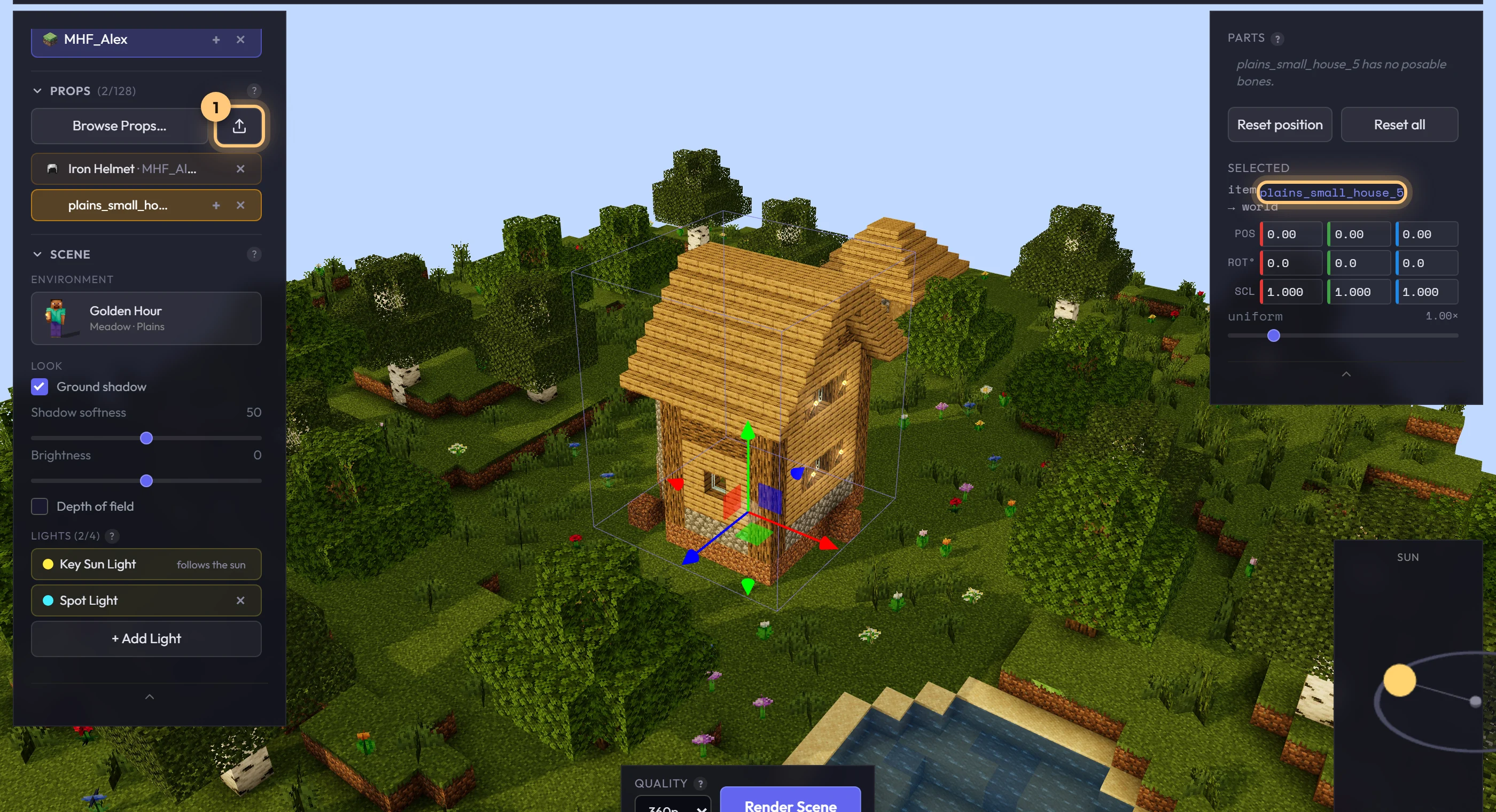
In Minecraft Java, save your build with a structure block in Save mode. The file ends up in your world's generated folder as a .nbt file. Then in the Studio choose the upload button beside Browse Props… and pick it, or drag it onto the 3D view.
Your build appears with the game's own textures, soft shading in corners, and working light sources: torches and lanterns in it light up the build and the players around it.
- Files up to 5 MB and builds up to 48×48×48 blocks (the size a structure block saves) work.
- Chests, beds, signs, banners and bells inside a structure aren't shown yet. You can add chests and beds from the picker.
- Once in, a structure moves, turns and scales like any other prop.
Your own 3D models
The same button takes a .glb 3D model, up to 5 MB. Very large or very small models are resized to fit the scene, and the status bar says when that happens.
Where they're kept
Uploaded structures and models stay in your browser. They're included in your scene files and in scenes you share, but they aren't stored on our server as separate files. Big uploads make shared scenes slower to open, so use the picker's blocks where you can.
Ready to make something?
Open the Studio